

Side Note: Claude Code is the most exciting tool I have used in my 13+ years of coding.
If I was explaining Claude Code to an 8 year old, I’d say:
“It’s a super smart app builder robot, where you tell it what app to build, and it will go and plan, build, and test (making sure your app works) all by itself.”
Claude Code Official Definition: “Agentic Harness around Claude AI Models”
What does that mean? 😢
An agentic harness is software that surrounds an AI model to manage its actions, memory, and interactions over long-running, multi-step tasks. It turns a “raw” chat-based model into a reliable, autonomous worker.
Claude Code is specifically designed as an agentic harness for coding tasks.
How does it work?
It’s a command line interface (CLI tool) that you install on your computer. (There are IDE plugins as well)
Claude Code has two main superpowers:
Backed by powerful Claude AI Models (LLMs) that can think and reason
Built-in tools that can read/edit files, run commands, lookup stuff when it needs to
It uses those two steps 👆 in a loop to complete coding tasks.
What it feels like
Here is a 10 second GIF of me modifying a test on one of my projects.
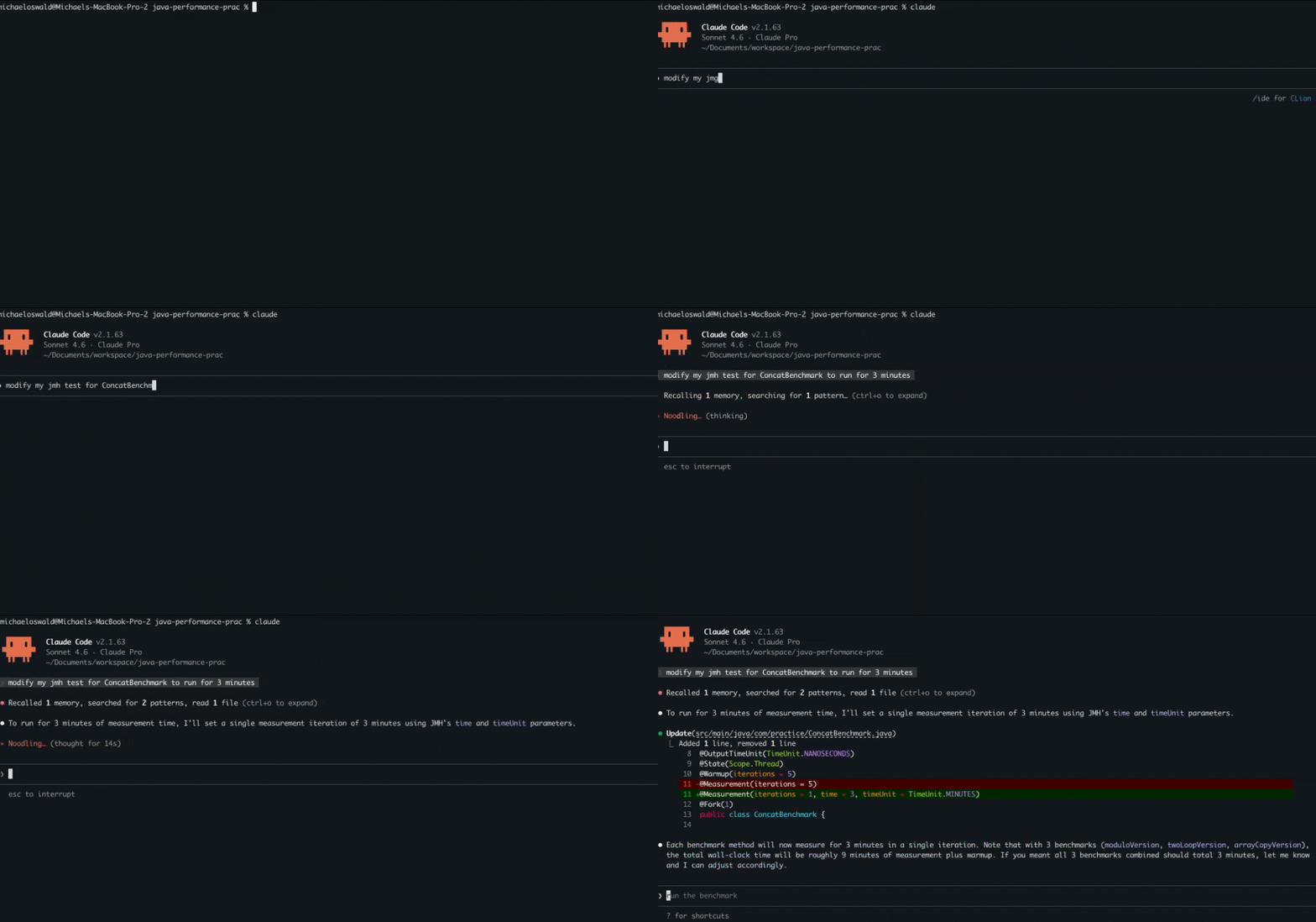
You’ll notice after I send in my prompt, Claude Code uses build-in tools to search my codebase and talk (behind the scenes) with the Sonnet 4.6 AI Model to determine the best way to solve my request.
How to get started?
Head over to the quick start guide from Anthropic: https://code.claude.com/docs/en/quickstart
(You will need at least a pro level membership to use Claude Code, which is ~$20 a month as of this writing) Well worth it in my humble opinion 😎.
Summary
Hope that helped you understand the very basics of Claude Code. There are many other extensions such as skills, MCP, subagents, hooks, and agent teams that I’ll be posting on in future posts.